Posts

Showing posts with the label Google

How to use a Multimodal Learning Site

Image
'Multimodal' has become a popular concept in education – almost to the point of becoming a buzzword.  It has also become synonymous with the use of digital technology. But don't let the veneer of modern use fool you: multimodal teaching has long been viewed as effective pedagogy. In fact, researchers have been praising multimodal teaching for some time. If you enjoy academic literature, check out  Sankey (2010)  as an example. If not, know that researchers have found that multimodal practice engages our students and provides them with multiple opportunities to explore a concept. In a digital classroom, a great way to capitalise on the benefits of multimodal teaching is by using a multimodal site. These could be made to support a unit of study, inquiry or even a few weeks reading programme. For example, I made this site to support my students while we were studying cells in science, and this site  to support a reading group explore science fiction. Wh...
Future Focussed?

Image
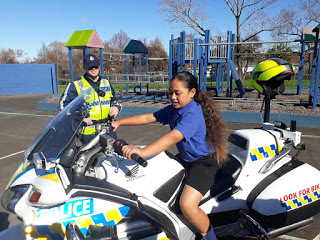
This year I have ensured to cover careers education, as I understand the importance of providing these opportunities for my learners. The Ministry of Education explain that students need to be aware of different career pathways and the knowledge and skills that are required to follow various career paths. It can also support students to be more motivated about school and higher education. This term I have done a lot more work in this area than I had previously and I introduced a range of occupations to my learners, from architecture to engineering to working for the police. As a school we have invited lots of different individuals and organisations in to talk to our students about their careers. I have found that this has had a positive impact on my learners, as they are far more aware of the different avenues that they could pursue. I found that they particularly learnt a lot from the engineer that I put them in contact with. He reported the importance of maths and physics for e...

Encouraging Collaboration and Problem Solving

Image
This term I have sought to facilitate discussion between my learners and to step out of group lessons so that they are student led. I have utilized strategies such as reciprocal reading, maths as problem solving and circle time to encourage this. I have also highlighted the importance to work with others during our class PB4L lessons. Team Building Sport Games Within these PB4L lessons, I have facilitated a number of activities to foster team building. We played team building sports games, technology challenges and the famous toothpaste activity. One of the most engaging and successful activities that the class has participated in has been Breakout Edu . A PB4L Challenge The students were respectful, supportive, collaborative and engaged throughout the game, which was very rewarding to observe. Part of this success could be due to the amount of focus that we have put into team building in the past, but the Breakout had my students captivated and they have requested t...

Getting Creative

Image
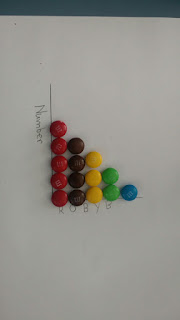
After engaging with a summer school paper regarding digital teaching and learning, I feel more inspired than ever to make greater use of the technology in my 1:1 Chromebook class. This year about 95 percent of my students own a Chromebook and the others can work 1:1 due to the PC's that are available in my class. This has allowed me to step up my digital teaching and create more activities that align with the augmentation, modification and redefinition level of the SAMR model. Using MnMs while looking at different types of graph in statistics So far this year, the students have used Tagul to create posters, Infographics to convey statistical information, Answer Garden, Kahoot and Padlet to share their ideas, Google Forms as exit cards, Sketchnotes to illustrate their maths strategies and Google Slides to present their learning during our school science week. I have used technology more meaningfully in these first five weeks than I was able to do last year thanks to the cu...

PCT Site

Image
It can be a bit of a mission creating a PCT folder as a beginning teacher, but I have found my PCT Google Site far more efficient to use than an old ring binder! Once I set up my pages, I have found it fairly manageable to simply drop in digital reflections, observations, samples of student work and the like. In todays MDTA PLG we were given time and support to develop this website. I have followed the Manaiakalani template quite closely to create this site and have attached all of my evidence pages which can be accessed through the top bar. I have a page for each of the professionally certified teacher criteria and for other evidence of my practice such as my meeting minutes, reflections and release logs. Although the focus of this PLG was to ensure that this site was up to date, I found myself reflecting back on the year and considering some of the opportunities that we have been given. We discussed how much of our professional learning aligns with the criteria and I consider...

Class on Air

Image
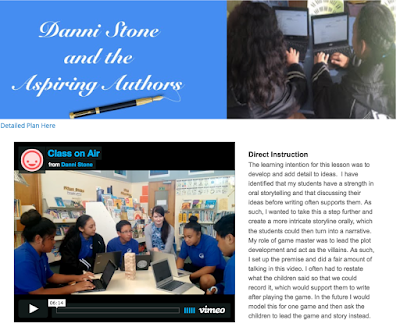
I have written before about my admiration for the teachers who participate in Manaiakalani Google Class on Air.  At the beginning of the year I found it intimidating simply to publish my lessons online, so it seems incredibly brave to film a live lesson! However, this is what we have been planning in todays PLG (although ours won't be published on the Class OnAir site).                 For my Class OnAir style lesson, I have decided to try a teaching strategy that I have been planning for some time. I have noticed that a few of my learners still need support in developing detailed ideas in writing and that working collaboratively has provided some support. I have also been looking at bringing gaming into my lessons as this is something that my learners are interested in. So, I introduced the idea of playing Dungeons and Dragons with them. Unfortunately we experienced several technical issues when filming this video, so I have incl...

Sparkshop AKL

Image
I am always blown away by the innovation of our educators. New tools, apps and activities are constantly being designed and there are so many teachers who are willing to share aspects of their practice. Last weekend, Clarelle and I attended Sparkshop Auckland, an 'unconference' for google educators in order to connect with some of these educators. I learnt so much throughout the day, from both the workshops that I attended, the teachers I connected with and the Slam! session that ended the day. Here are some of my favourite pieces of learning from the day: Bitmoji :  Although this is something I would perhaps use in my social life more than my teaching life, it is rather exciting being able to create your own avatar, which can be used in email as well as through social media. The image of your avatar (there are a range of positions that your character can take) could be used on a class site, as a blogger profile and so on. I thought that they could be used quite we...

Becoming a Google Certified Educator

Image
After successfully completing a three hour exam, I am now a Google certified educator! I had completed my Google fundamentals training throughout the school holidays, so I was a little worried about taking the exam more than a month after completing the training. Despite having to go back and do a little revision, completing the training before school started meant I was much better prepared to teach in a Manaiakalani school. I found that still learnt a few things while taking the exam as it quite a large practical component. After completing some multi choice questions, you were given a temporary Google Apps for Education account and had to complete tasks using various Google tools. The tasks included assigning work in Google Classroom and working with student data in Google Sheets.                      Despite being a little anxious I passed the exam and felt that I over thought a lot of the questions. The Fundamenta...